


Omega - Live video chat
3.63.32K Reviews
App Specs
- Version
- 7.5.0
- Updated On
- License
- Free
- Downloads
- 10,000,000+
- Developer
- Omega Tech.
- Categories
- Social
- Platform
- Android, iOS
Screenshots

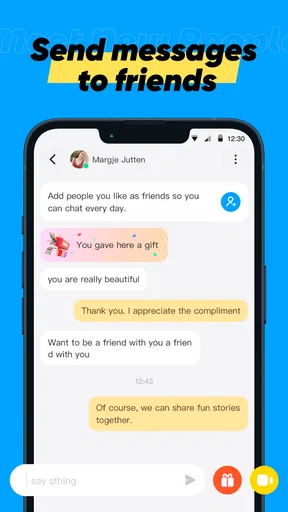


 Analysis by AppCompare
I approached Omega as a social app for spontaneous live video conversations rather than as a conventional messaging service. Its main appeal is simple: open the app, meet people beyond your usual contacts, and decide quickly whether a conversation feels worth continuing. That immediacy can be refreshing when I want human interaction without arranging a call in advance, but it also makes the experience less predictable than a carefully managed social network.
Omega is free to download and belongs to the social category, with Omega Tech. listed as its developer. It is intended for mature users aged seventeen and above, which is an important part of deciding whether it fits your household or personal boundaries. The app has passed ten million installs and holds a 3.6 average from around one hundred twelve thousand ratings, so it clearly attracts a large audience while also producing mixed reactions. I found that combination useful to keep in mind: there are plenty of people to meet, but popularity does not automatically mean every interaction will be comfortable or worthwhile.
How Omega feels to use in everyday situations
I find Omega most appealing in the first few sessions, when spontaneous video conversations feel fresh and there is no need to arrange a call beforehand. To keep that novelty enjoyable, I would decide what I want from each visit—a quick change of pace, for example—rather than treating every new connection as something I need to pursue. That small boundary makes it easier to tell whether the app is earning a place in my routine.
Readability and navigation during a fast-moving session
The biggest design challenge for a live video chat app is that everything happens quickly. In a text-based community, I can pause, reread a message, and decide how to respond. With Omega, the important choices tend to arrive while a conversation is already moving. That makes clear labels, obvious controls, and an uncluttered screen more valuable than decorative design.
In practical use, I would treat the first few moments of each connection as a screening stage. I look for the control that lets me move on, end the interaction, or manage the conversation before becoming absorbed in what the other person is saying. This is a useful habit for anyone who finds rapid visual changes tiring. Rather than trying to understand every part of the interface at once, I focus on the small set of actions I am likely to need immediately.
The app is easier to approach when I use it with a specific purpose. For example, I might open it for a short social break after work, speak with a few people, and leave when the experience stops feeling enjoyable. That is more manageable than entering without a time limit and allowing an endless sequence of new conversations to dictate my attention. A short, deliberate session makes Omega feel less overwhelming than an open-ended search for interaction.
That approach also helps with readability. Live video naturally creates competing demands: I am watching a face, listening to speech, checking what is happening on screen, and deciding whether to continue. Users who need larger text, stronger contrast, or more time to interpret controls should test the app in the exact conditions where they plan to use it. A bright room, a dark room, a small phone, and a larger tablet can produce very different levels of comfort even when the app itself has not changed.
Worth Reading Before You Choose

Flipboard Shows What News Apps Must Do Beyond the Feed

Switching to Android Auto Means Rethinking Your Driving Routine

Google Calendar Makes a Crowded Week Easier to Manage

Ludo King Makes the Most of the Minutes Between Plans

Baby Panda World Brings Quick Play to Modern Phones, but Its Game Library Feels Busy

ESPN’s Live Game View Makes Following Close Games Easier
I would not choose Omega as my primary place for long written conversations. A traditional messenger is usually better when I need searchable text, careful composition, or a record I can revisit later. Omega is built around the immediacy of a live encounter, so its value is strongest when seeing and hearing another person matters more than organizing a conversation into a tidy thread.
Motor and sensory considerations that affect control
Video chat can be demanding for people with limited hand precision because the decision to continue or leave may need to happen while the other person is speaking. If tapping small controls is difficult, I recommend holding the phone in a stable position and using a stand when possible. That simple change reduces the need to grip the device and makes it easier to act without accidentally covering the camera or shifting the screen.
Users with tremors, repetitive strain, or fatigue may also prefer shorter sessions. Repeatedly reaching for controls can become more tiring than expected, especially when each new conversation encourages another quick decision. I found that setting a personal stopping point before opening the app is more helpful than relying on willpower after a long chain of interactions.
For people who are hard of hearing, live video presents an obvious trade-off. Facial expressions and gestures can add context, but they cannot replace reliable access to spoken content. I would not assume that watching the screen alone makes every conversation understandable. If audio quality, speech speed, background noise, or the other person’s willingness to repeat themselves becomes a problem, Omega may be less suitable than a text-first community or a service designed around typed communication.
The same applies to users who are sensitive to sudden sound, movement, or unpredictable social behavior. I recommend starting with the device volume low and using headphones only if they are comfortable and safe in the environment. A private room can help, but it does not remove the possibility of an unexpected conversation. People who need a highly controlled sensory experience may find scheduled, moderated groups easier to handle than spontaneous one-to-one video encounters.
There is also a privacy-related sensory issue that is easy to overlook: being on camera changes how exposed I feel. I do not consider video a neutral upgrade over text. Before starting, I would check what is visible behind me, remove identifying items from the background, and avoid showing documents, badges, or anything that reveals where I live or work. This is not a technical accessibility feature, but it directly affects whether the app feels usable in real life.
Situational access: where the app works best and where it does not
Omega makes the most sense when I have a stable connection, a reasonably private setting, and enough attention to participate. A realistic use case is a person living alone who wants a brief social interaction after dinner without committing to a scheduled call. They can use a quiet corner, keep the session short, and leave as soon as the conversation becomes uncomfortable or simply stops being interesting.
It can also suit someone who has moved to a new place and wants low-commitment contact with people outside an existing circle. The advantage is the lack of preparation: I do not need to plan a topic, build a profile around a particular hobby, or wait for a friend to become available. The disadvantage is that spontaneity brings more variation in conversation quality and personal behavior than a group organized around a shared interest.
I would avoid using it while walking, commuting, or doing anything that already requires visual attention. Live video is not a good companion for crossing streets, driving, operating equipment, or supervising a situation that could change quickly. Even a short conversation can pull my focus away from the physical world. This is especially relevant for users with visual, cognitive, or balance-related challenges, because divided attention can create a safety problem rather than merely an inconvenience.
Public places are also a poor fit if privacy matters. A video conversation may expose nearby voices, faces, signs, or personal routines. If I need to use the app outside home, I would choose a location where the camera view and audio do not reveal more than intended. People sharing a room, living in supported housing, or caring for children should be particularly careful about who and what enters the frame.
The minimum operating-system requirement is Android 6.0 or later, which makes the app available to many older Android devices. That can help users who cannot replace a phone frequently, although an older device may still provide a less comfortable video experience than newer hardware. I would judge the app not only by whether it installs, but also by whether the phone remains responsive, the camera works reliably, and the battery lasts for the kind of session I want.
What the social format offers that alternatives do not
Compared with ordinary messaging apps, Omega removes much of the delay between meeting someone and seeing whether conversation feels natural. I do not have to exchange several rounds of introductions before learning whether there is any chemistry. That is its clearest strength for people who enjoy quick, face-to-face contact and dislike maintaining long lists of inactive chats.
Compared with social networks built around public posts, it is more direct and less dependent on collecting likes or building a polished feed. I can participate as a person in a conversation instead of presenting a carefully edited stream of updates. For some users, that can feel more human. For others, the lack of a familiar community structure may make the experience feel random.
Compared with scheduled video services, Omega is more flexible but less predictable. A planned call with friends, a support group, or a class usually offers clearer expectations, known participants, and a shared purpose. Omega is better when I want discovery and spontaneity. It is worse when I need dependable communication, professional boundaries, or a conversation that must remain focused.
That difference suggests a useful workflow. I would use Omega for brief, low-stakes encounters, but move meaningful ongoing contact to a service I already trust only after deciding that the person is appropriate and after protecting my personal information. I would not treat a pleasant first conversation as proof that someone is safe, honest, or compatible outside the app.
Remaining barriers and the cost of spontaneity
The mature seventeen-plus rating is not a minor detail. Parents and caregivers should not treat Omega as a general-purpose app for younger children, and adults who prefer tightly moderated spaces should consider whether live stranger interaction matches their comfort level. The social format can be enjoyable, but it places more responsibility on the user to end conversations, protect privacy, and recognize warning signs.
Another practical consideration is the payment model. The app is free to use, while in-app purchases range from ninety-nine cents to one hundred ninety-nine dollars per item. I would approach optional spending cautiously and check every purchase screen before confirming anything. A free download can still lead to meaningful expenses if a user treats paid items as part of the normal rhythm of meeting people. Anyone managing a strict budget should set device-level purchase protections and avoid buying impulsively during an exciting conversation.
The current version is 7.5.0, so the interface may change over time. That makes it sensible to recheck controls after an update instead of assuming that a button remains in the same place. For users who rely on a familiar routine, even a small change in the location or wording of an action can add friction. I would also keep the app updated when possible, but I would take a moment after updating to review the experience before using it in a sensitive setting.
Omega’s audience size is both an advantage and a limitation. With more than ten million installs, finding an active social environment is easier than with a little-known service. At the same time, a large audience does not guarantee that the next conversation will match my interests, communication style, or boundaries. The 3.6 average rating reflects that unevenness better than a highly polished marketing promise would: many people may find value in the concept, while others may dislike the unpredictability.
I also would not recommend it to someone seeking structured learning, dependable emotional support, professional networking, or a carefully moderated interest group. Those needs are better served by platforms where membership, purpose, and conversation norms are clearer. Omega can supplement a social routine, but I would not use it as a replacement for trusted relationships or specialist support.
My inclusive verdict after weighing the trade-offs
I see Omega as a reasonable choice for adults who want spontaneous live video conversations and are comfortable making quick decisions about who to engage with. Its free entry, broad audience, and direct format make it easy to try, while the mature age rating and optional purchases mean I would use it with clear boundaries. The app is most rewarding when I treat each interaction as a short, optional encounter rather than as the beginning of a guaranteed friendship.
From an inclusion perspective, the experience depends heavily on context. A quiet room, a stable phone position, a clear stopping point, and careful control of the camera view can make it more approachable. Users with hearing, vision, motor, attention, or sensory needs should judge it in their own environment instead of assuming that live video will be equally accessible for everyone. The format itself creates barriers that a simple interface cannot fully remove.
My practical advice is to begin with a brief session, keep personal details private, use a setting where you can leave comfortably, and stop immediately when a conversation crosses a boundary. I would also avoid purchases until I understand exactly what I am paying for and whether it genuinely improves my experience. Those habits do more to shape a positive result than simply installing the latest version.
Overall, I would recommend Omega to a socially curious adult who values immediacy over structure. I would point a text-first user, someone needing predictable moderation, or anyone who finds unexpected video interaction stressful toward a more controlled alternative instead. Its best quality is the chance to connect without planning; its central weakness is that the same spontaneity can make access, privacy, and comfort depend on circumstances outside the app’s control.
Pros
- Quickly connect with people through live video conversations.
- Simple interface makes starting a chat easy for new users.
- Supports spontaneous interactions with users from different countries.
- Live format feels more engaging than text-only social apps.
- Useful for practicing casual conversation and meeting new people.
Cons
- Video chat quality can depend heavily on your internet connection.
- Some users may behave inappropriately during live conversations.
- Privacy concerns may arise when sharing video with strangers.
- Frequent notifications can become distracting over time.
- The experience may feel repetitive without meaningful conversations.
FAQs for Omega - Live video chat
What is Omega - Live video chat, and how does it work?
Omega - Live video chat is a social discovery app that lets users meet new people through live video conversations and chat features. After creating a profile, you can browse or connect with other users, start conversations, and decide whether to continue interacting. The experience is designed for spontaneous socializing, so the people you meet and the quality of conversations can vary considerably.
Is Omega - Live video chat free to download and use?
The app can generally be downloaded for free, but some features may require in-app purchases, subscriptions, virtual gifts, or other paid options. Depending on your location and account settings, free users may have limits on matching, messaging, filters, or video interactions. Before confirming a purchase, review the pricing, renewal terms, and subscription settings shown in the app store or payment screen.
Is Omega - Live video chat safe for teenagers and younger users?
Users should check the current age rating and terms of service before installing Omega - Live video chat. Live social platforms can expose people to strangers, inappropriate language, unwanted requests, scams, or content that has not been fully filtered. Parents should use device-level controls, discuss privacy and online safety, and ensure that children never share their real name, address, school, passwords, or private photos.
What privacy and safety precautions should I take while using Omega?
Avoid sharing personal information such as your phone number, home address, workplace, financial details, passwords, or exact location with people you meet. Use the app’s block and report tools whenever someone behaves abusively, requests money, pressures you to move to another platform, or sends inappropriate content. It is also wise to review camera, microphone, notification, and contact permissions and disable anything unnecessary.
What should I do if I experience harassment, suspicious behavior, or technical problems?
If another user makes you uncomfortable, end the conversation immediately, block the account, and report it through the available in-app safety controls. Do not send money or click unknown links, even if the person claims to need urgent help. For crashes, login problems, camera issues, or payment concerns, update the app, check your connection and permissions, then contact official support with screenshots and relevant account details.


